
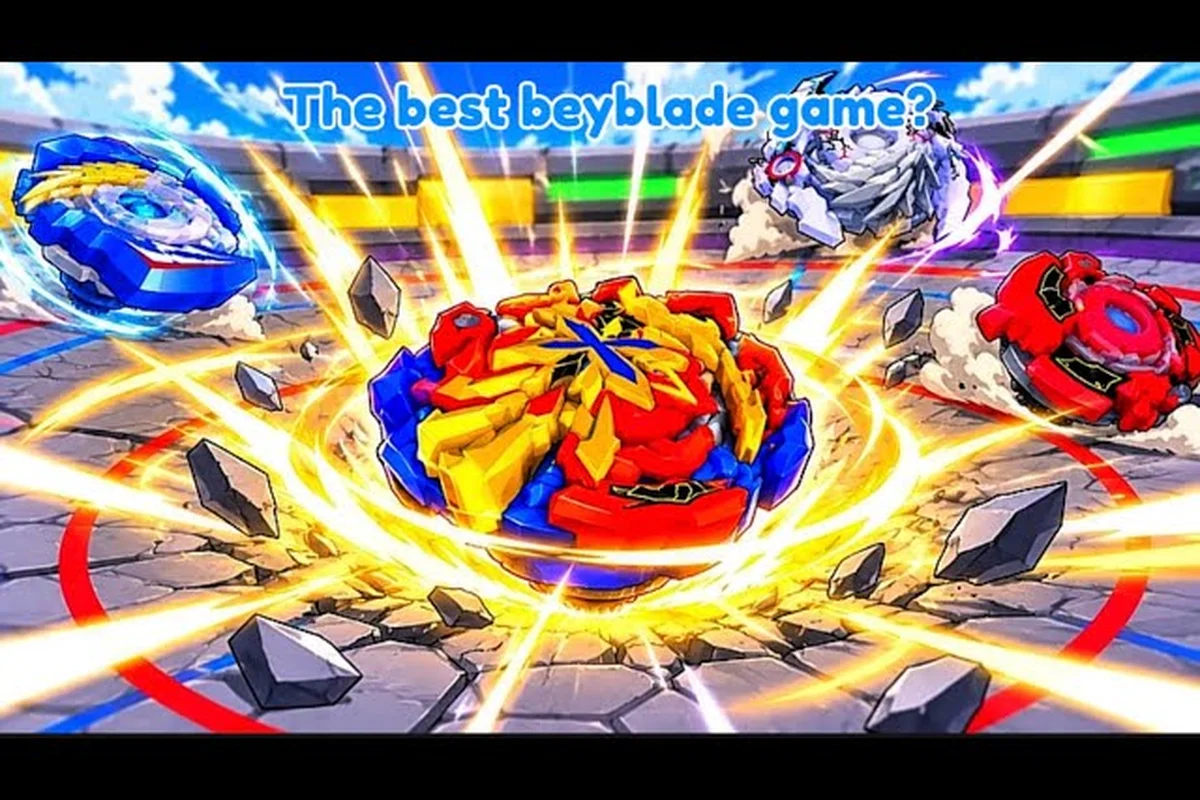
Switching Beys in Bey Rivals is the fastest way to fix a losing streak, and it takes only a few taps once you know where the inventory lives. This guide walks through equipping a new top, sorting duplicates, and setting AutoSell rules so your roster stays battle-ready.
Why Swapping Your Active Bey Matters
Every clash in Bey Rivals resolves through a burst-style rule set: a Bey that burst-pops or gets knocked out of the ring loses the match. That single rule means your active Bey is not cosmetic — it is the loadout that decides whether you win or lose. If you keep launching the same top into a matchup it cannot handle, no amount of launching skill will save the round.
Your Bey is built from stacked parts, similar to an energy layer, a disc, and a driver. Part types fall into Attack, Defense, Stamina, and Balance, and each surname or trait adds throw-type modifiers plus small stat buffs. Because those parts are rolled from the banner economy, most players end up owning several Beys that pull in different directions. Switching between them is how you adapt.
The practical takeaway is simple: treat your collection as a toolbox, not a trophy shelf. A Defense-heavy top that stalls out a fast opponent is a legitimate answer to a bad matchup, and you already own it — you just have to equip it.
-
Matchup first: pick the Bey that counters what you keep losing to, not the one with the highest rarity.
-
Parts matter more than names: two Beys with the same label can behave differently once discs and drivers change.
-
Rarity is a hint, not a verdict: a Common top with the right trait can outlast a poorly tuned Legendary.
-
Check after every patch: frequent balance updates mean yesterday's favorite may need a replacement.
New players often ask which top to equip first, and the honest answer is that your starter path already hands you something usable. If you want a deeper breakdown of early picks, the best starter Bey picks for new players covers which first Beys hold up in the opening ladder climb.
How to Switch Beys Step by Step
The switch itself is not hidden behind a menu maze, but the button is easy to miss if you have never opened the inventory panel. Community reports describe the flow as consistent across platforms, and the steps below match what players describe in current builds.
Opening the Inventory and Equipping a Bey
Start from the main hub, then move into your collection screen. The game tracks your collection size, so you can always see how many Beys you own versus how many you have equipped. Once the list is open, tapping a Bey shows its parts and traits before you commit.
| Step | Action | What to Check |
|---|---|---|
| 1 | Open the inventory or collection panel from the hub | Confirm the list loads your full owned set |
| 2 | Tap the Bey you want to equip | Read its part types and traits first |
| 3 | Select the equip or set-active option | The old Bey returns to the collection |
| 4 | Launch a practice or casual match | Verify the new top behaves as expected |
| 5 | Return and swap again if the matchup still feels wrong | Keep the change small, one variable at a time |
That last step matters more than it looks, because a Bey's performance comes from its parts and traits interacting, not from one stat in isolation. If you swap both the Bey and your launch or playstyle at once, a loss tells you nothing — you can't tell whether the new top's blade, disc, or driver was the problem, or whether your old habits simply didn't fit it. Change one variable, run a practice or casual match, and note the result before touching anything else.
Reading the Equip Screen Before You Commit
The equip screen is where most mistakes happen, because players tap through it without reading. Before you confirm, check three things: the part type spread, the trait attached to the Bey, and whether the top is a Shiny variant. Shiny versions restyle the same Bey without confirmed stat changes, according to community data, so a Shiny is a cosmetic flex rather than a power upgrade.
If your collection is still thin, the complete Beys list and rarity guide explains where each category of top comes from, which helps you decide whether to grind for a replacement or make do with what you own.
Understanding Your Bey Inventory
A Bey inventory guide is really a guide to decisions. Every slot you own is either equipped, benched, or queued for removal, and the game does not make that choice for you. Players who never open the inventory end up launching the same top for weeks while better options sit unused.
What Each Inventory Entry Tells You
Each entry carries more information than a name and an icon: the part types decide whether the top leans Attack, Defense, Stamina, or Balance, while traits and surnames stack throw-type modifiers and stat buffs on top of that baseline. Reading it properly turns a cluttered list into a usable roster, because the rarity tier (Common through Mythic) only hints at raw power — a Mythic with mismatched parts can still lose to a tuned Epic. The shiny status flag, meanwhile, restyles the same Bey without a confirmed stat change, so it should never drive your switching decisions.
| Information | Where It Appears | Why It Matters |
|---|---|---|
| Part types | Bey detail view | Tells you if the top leans Attack, Defense, Stamina, or Balance |
| Traits and surnames | Bey detail view | Adds throw-type modifiers and stat buffs |
| Rarity tier | Collection list | Common, Epic, Legendary, or Mythic — a rough power hint |
| Shiny status | Bey detail view | Restyles the same Bey; no confirmed stat change |
| Duplicate count | Collection list | Signals whether AutoSell rules should apply |
The duplicate count is the entry most players ignore, and it is the one that quietly bloats a collection. Once you own three copies of the same top, the extras are doing nothing except slowing down your scrolling. This is exactly where AutoSell earns its keep: set the rule to dump anything past your second or third copy, and every new pull gets triaged before it clutters the list. The catch is that duplicates are not always dead weight — a spare copy of a strong Blade or Ratchet can be stripped for parts to reinforce a different build, so a blanket "sell everything" rule can cost you upgrade fodder. The practical split is to keep two copies of any top you actually run in your active rotation and let AutoSell handle the rest, which keeps the inventory lean without throwing away material you will want later.
Sorting and Filtering Your Collection
Sorting is the difference between a two-second swap and a two-minute hunt. Keep your equipped Bey pinned at the top, group the rest by part type, and push duplicates to the bottom of the list. That way, when a match goes badly, you can find a counter in one glance instead of scrolling through rows of near-identical icons.
A clean list also makes it obvious when you have accidentally kept five copies of a top you never use — for example, five identical Driger V2 attack rings sitting at the bottom of your inventory doing nothing. That is the moment to think about AutoSell. Rather than manually tapping each duplicate, AutoSell automatically converts surplus parts into currency the moment you pull them, so your inventory stays lean and every slot holds something you actually field. The catch is that AutoSell will happily eat a part you meant to keep, so lock one copy of any Bey you still use as a fusion or upgrade material before you switch it on.
What to Do With Duplicate Beys
Duplicate Beys are the most common source of inventory clutter in Bey Rivals. The game lets you keep them, sell them, or feed them into autosell rules that you define yourself, so the decision is entirely in your hands. There is no single correct answer, but there is a clear framework.
Keep, Sell, or AutoSell
| Option | Best For | Trade-off |
|---|---|---|
| Keep the duplicate | Beys you actively rotate between matchups | Takes up collection space |
| Sell manually | One-off extras you notice while browsing | Requires you to spot them yourself |
| Feed into AutoSell rules | Recurring duplicates from the same banner | Rules apply automatically, so you must set them carefully |
The decision hinges on how often a given Bey actually enters your rotation, not on how rare it looks in your inventory. A duplicate you field in three or more matchup slots per session — say a stamina-focused Bey you lean on against aggressive attackers — earns its keep, since you can run a different part loadout on each copy without rebuilding between matches. A duplicate that has sat untouched through your last dozen battles is just consuming collection space that a better AutoSell rule could reclaim.
Setting AutoSell Rules Without Regret
AutoSell is a rule system, not a button: you define which duplicate Beys get cleared automatically, and the game executes those rules every time a new drop enters your inventory. That matters because AutoSell only ever sees the copy it is processing, not the roster you are building — so a rule like "sell all duplicates of [Bey name]" will clear a spare you were saving for a future evolution or stat reroll just as happily as it clears genuine junk. The danger scales with how broad your conditions are: a rule scoped to one specific Bey and one rarity tier is far safer than a category-wide filter, because the narrower rule simply has fewer chances to catch something you still need.
Start conservative. Set rules only for the tops you have already decided you will never rotate, then watch your collection for a few sessions to confirm nothing valuable disappears. Community guides treat soul rolls and event drops as separate acquisition channels, so consider excluding those categories from any automatic rule until you are sure you understand them.
If you are still building out your roster and want to know where new Beys come from before you start deleting anything, the unlock, evolve, and upgrade guide explains the acquisition paths that feed your inventory.
Free Beys and Which Ones Are Worth Equipping
Free Beys arrive mainly through starter paths and codes, and they are genuinely useful early on — but the real decision is which one earns your active slot once your Bey inventory fills up. Most free tops land in the Common-to-Rare range with lower base stats than store or event Beys, so their value comes from filling a role your current lineup lacks rather than raw power. A free Attack-type top with decent burst can carry early Bey Rivals battles, while a free Stamina or Defense top often survives longer in drawn-out matches. If you pull duplicates from codes, don't autosell them immediately: check whether the duplicate's stats or part compatibility beat your current pick before switching. The question is not whether free tops are good — it is which free top deserves your active slot once you own a few.
Where Free Beys Come From
| Source | How It Works | Notes |
|---|---|---|
| Starter path | Granted as you begin playing | Reliable early equip |
| Codes | Redeemed in the Shop menu under the Codes tab | Codes expire or change after updates |
| Seasonal events | Limited drops tied to event codes | The Halloween window introduced a limited spooky Bey |
| Soul rolls | Tied to Soul Tickets from SOUL-style codes | Community guides treat this as its own channel |
Codes are redeemed inside the game rather than on a website, so head to the Shop menu and open the Codes tab to enter them — there is no external redemption page to visit. Most codes also require you to be in the official Roblox group first, and that group is public, so joining it is a quick step before you start redeeming. Skipping the group check is the usual reason a valid code returns an error, so join before you type anything. Redeemed rewards land in your Bey inventory, where you can then decide whether to equip, keep, or autosell the resulting duplicate beys.
Picking the Best Free Bey for Your Slot
The best free Bey is the one that covers a gap in your current roster. If your equipped top is a fast Attack build that keeps getting stalled out, a Stamina-leaning free Bey is worth more to you than another aggressive option. Rarity should be a tiebreaker, not the deciding factor.
Balance matters too. A Balance top with a decent trait often outperforms a specialist that does not fit the matchup, because it avoids the worst-case outcome in more fights. When two free Beys look equally strong on paper, equip the one whose part types you have not tried yet — variety in your roster is what makes switching useful in the first place.
Practical Switching Habits That Save Matches
Knowing how to switch Beys is only half the skill. The other half is building habits that make the switch fast enough to matter during a session. In practice, that means opening your Bey inventory before the countdown ends rather than mid-battle, since the swap animation locks your active Bey for roughly a second — enough for a faster rival to land a free hit. Keep your two or three best free Beys pinned at the top of the list so you never scroll past duplicate Beys you meant to autosell, and treat switching as a reactive tool: swap in a tankier Bey only after your opponent commits to their burst combo, not before.
A Simple Pre-Match Routine
Run the same three checks before every serious match — equipped Bey versus expected part type, no duplicate silently replacing your intended top, and AutoSell rules that haven't already cleared a keeper — and the routine becomes automatic within a few sessions. The reason it sticks is repetition under real stakes: each swap forces you to re-verify inventory state, so a missed check shows up as a lost match rather than a vague suspicion. Track the last match result alongside each check, and after roughly five swaps you'll spot patterns — say, a duplicate quietly outranking your main top — that a one-off glance would never catch.
- Confirm your equipped Bey matches the part type you expect to face
- Check that no duplicate has silently replaced your intended top
- Verify your AutoSell rules have not cleared a Bey you wanted to keep
- Note the result of the last match so you can tell whether the swap helped
Common Switching Mistakes
The most frequent error is swapping too late. Players lose three matches in a row before opening the inventory, when the first loss already told them the matchup was bad. The second most common mistake is swapping everything at once — new Bey, new parts, new playstyle — which makes the result impossible to interpret.
A third mistake is hoarding duplicates out of caution. Keeping every copy of every top feels safe, but it turns the inventory into a wall of icons that slows down the one action you actually need: finding a counter quickly.
If the menu itself is still unfamiliar, the unlock guide for modes, menus, and controls walks through where each panel lives, which shortens the time between deciding to swap and actually doing it. Learning the Bey inventory layout matters more than it sounds: filter by part type, sort by rarity, and know which slot holds your Attack ring versus your Stamina tip, because a swap that takes four menu screens instead of one is a swap you will skip mid-match. The same guide covers the autosell toggle, so you can clear junk duplicates automatically while protecting the top-tier copies you actually want to keep for counter-building.
Frequently Asked Questions
How do I switch my active Bey in Bey Rivals?
Open your inventory or collection panel from the hub, tap the Bey you want, and select the equip option. The previously equipped top returns to your collection automatically. After swapping, launch a casual match to confirm the new Bey behaves the way you expect before committing to ranked play.
What should I do with duplicate Beys?
Keep duplicates only for Beys you actively rotate between matchups. Everything else can be sold manually or cleared through AutoSell rules you define. If a Bey never leaves your bench, its extra copies are dead weight that slows down browsing, so clearing them keeps your collection focused on tops you actually launch.
How does AutoSell work in Bey Rivals?
AutoSell is a rule system you configure yourself rather than a single button. You choose which duplicates get cleared automatically, and the game follows those instructions. Start with conservative rules covering only tops you will never rotate, then watch your collection for a few sessions before expanding the rules further.
Are free Beys in Bey Rivals worth using?
Yes. Free Beys come mainly from starter paths and codes, and they are strong enough for the early ladder. The best free Bey is the one that fills a gap in your roster — for example, a Stamina-leaning top if your current build keeps getting stalled out. Treat rarity as a tiebreaker, not the deciding factor.
Why does my Bey keep losing even after I switch?
Switching only helps if the new Bey actually counters the matchup you are facing. If you change your Bey, your parts, and your playstyle all at once, you cannot tell which change helped. Swap one variable at a time, test it in a casual match, and adjust from there instead of overhauling everything at once.
Switching Beys in Bey Rivals comes down to three habits: equip a top that answers the matchup in front of you, keep duplicates under control with conservative AutoSell rules, and treat free Beys as real roster options rather than filler. The inventory is not a storage room — it is the place where you decide which top you launch next, and the players who check it often are the ones who stop losing to the same matchup twice.